
AI
2024–2026
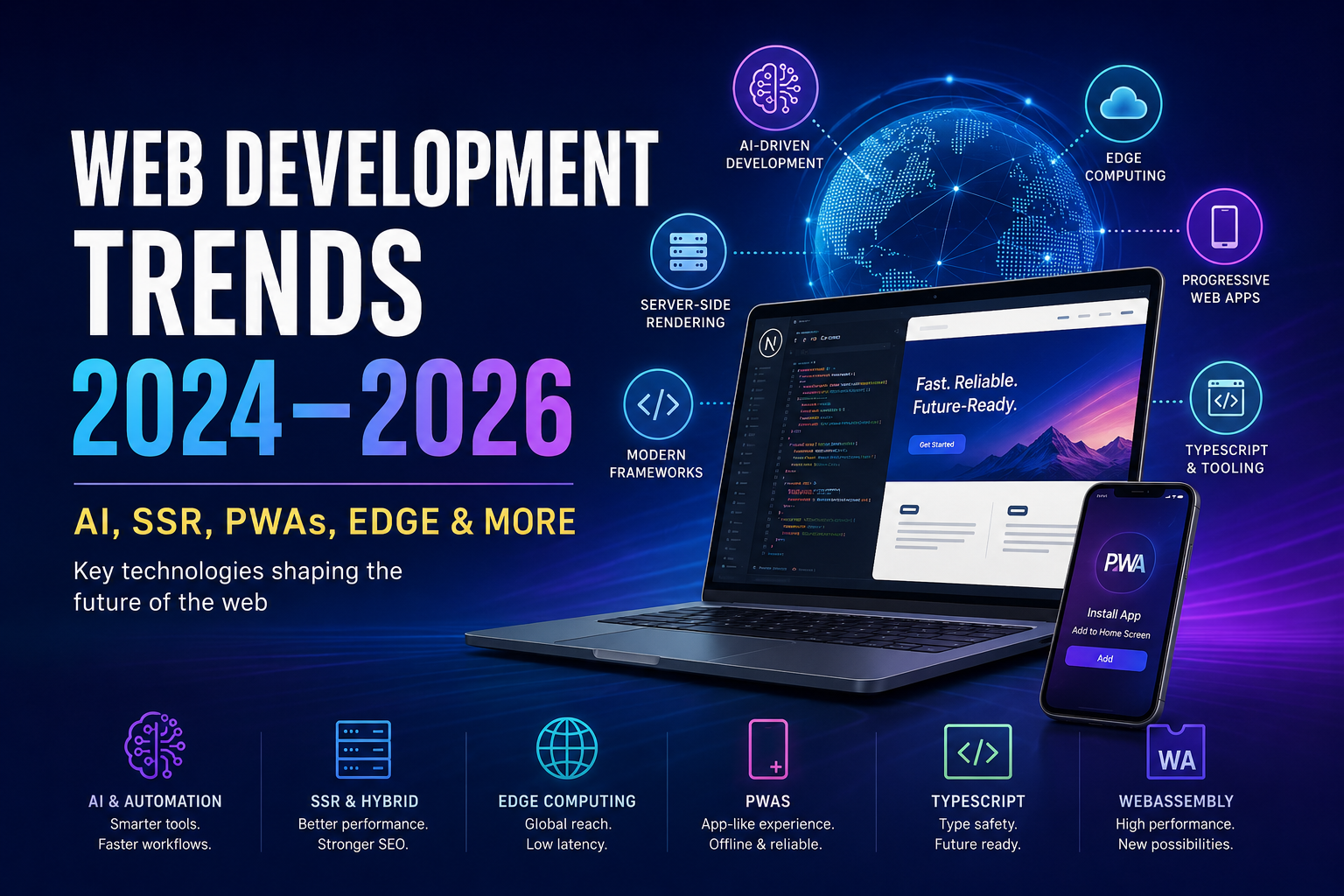
Web Development Trends 2024–2026: AI, SSR, PWAs, Edge & More
The web is evolving at breakneck speed. Discover the forces shaping modern web development—from AI‑powered workflows and server‑first rendering to edge computing and progressive web apps.
📌 Executive Summary
- AI‑Driven Development: AI tools are mainstream—85% of developers regularly use AI for coding [1]. ChatGPT, GitHub Copilot, and Figma AI features boost productivity.
- Server‑Side & Hybrid Frameworks: Next.js, SvelteKit, Remix, and Nuxt support SSR/SSG for speed and SEO. Next.js 14’s Turbopack cuts dev startup by 53%.
- Edge Computing: Running apps on the edge (Cloudflare Workers, Vercel Edge) slashes latency and cost. Edge is becoming the default deployment target [6].
- Progressive Web Apps: PWAs drive huge engagement lifts—Twitter Lite saw 75% more Tweets, BMW’s PWA loaded 4× faster [7][8].
- TypeScript & Tooling: TypeScript is GitHub’s #1 language [9]. Modern build tools (Vite, Turbopack) are standard.
- Emerging: WebAssembly, headless CMS, and agentic commerce (Google’s AI Universal Cart) are on the rise.
Introduction
The web is evolving rapidly. In 2024–2026, AI, performance, and user experience are the primary drivers of change. Developers increasingly rely on AI assistants: JetBrains’ 2025 Developer Ecosystem survey reports that 85% of developers now regularly use AI tools for coding [1]. Chatbots like ChatGPT and integrated tools like GitHub Copilot, plus AI features in design tools (e.g. Figma’s auto‑layout and content generation), are accelerating development workflows [2][1].
Meanwhile, a shift toward server‑first rendering is clear. Frameworks such as Next.js (React), SvelteKit (Svelte), Nuxt 3 (Vue), and Remix (React) all emphasize Server‑Side Rendering (SSR) and Static Site Generation (SSG) to improve load times and SEO [3][4]. These meta‑frameworks also offer developer ergonomics: Next.js 14’s Turbopack (Rust‑based bundler) reportedly cuts development build times in half [5].
Edge computing has gone mainstream. Platforms now deploy web apps at CDN nodes. For example, Cloudflare notes that moving Next.js apps to its Edge Runtime makes them “cheaper to run, respond faster to users” and believes the edge will be “the first place” new apps are deployed [6]. Progressive Web Apps (PWAs) remain crucial: by allowing installable, offline‑capable sites, PWAs yield huge engagement lifts. Twitter’s PWA (Twitter Lite) boosted engagement by 75% [7], and BMW’s PWA saw massive gains (4× speed‑up, 50% more mobile traffic) [8]. These case studies highlight why product teams should consider PWAs to reach mobile users effectively.
We also see smaller but growing trends: WebAssembly for high‑performance web tasks (currently ~3% adoption on Chrome [11]), headless CMS architectures (API‑first content delivery), and bolstered security/privacy measures. A futuristic example is Google’s agentic commerce: at Google I/O 2026 they unveiled a Universal Cart – an AI‑powered shopping cart across all Google services – that uses AI to find deals, track stock, and even flag product incompatibilities [12][13].
In this article, we survey these developments, cite up‑to‑date data and examples, and provide guidance for developers and product teams to adapt their tech stacks and workflows for the coming years.
AI and Automation in Web Development
AI is now embedded in the dev workflow. JetBrains reports 85% of developers regularly use AI coding tools [1]. Common tasks handled by AI include boilerplate code generation, API usage examples, code completion (Copilot), and code explanation or debugging hints. Many teams incorporate ChatGPT or dedicated assistants (TabNine, Codeium) into editors. The productivity gains are real: about 20% of developers say AI saves them ≥8 hours/week [14].
AI also enters design. Tools like Figma have added features (autoflow, smart copy) to automate tedious tasks. However, research shows these AI design tools are still “marginally better” at narrow tasks and cannot fully replace human designers [2]. For example, Nielsen Norman Group found Figma’s AI tools (like auto‑renaming layers or generating lorem ipsum) help with routine tasks but aren’t ready for full design generation [2]. Broad AI image generators (Midjourney, DALL·E) are often used for creating placeholder graphics or ideation sketches. Teams should experiment with these tools while recognizing their current limits.
AI is even reshaping UX on the user side. Google’s Universal Cart (I/O 2026) is an AI‑powered shopping hub: it can automatically search for better prices, monitor stock, and “proactively flag product incompatibilities” when composing a custom cart [12][13]. This trend toward agentic commerce – AI agents assisting the user in complex tasks – suggests that web teams should expose APIs and data in a way that AI can use (e.g. structured product schemas, plan for conversational UI).
Practical takeaways: Integrate AI assistants (Copilot, ChatGPT) into your dev environment. Use them for prototyping and boilerplate, but always code‑review AI output carefully. Encourage designers to try AI‑enhanced tools for routine tasks (like image generation, asset search), but maintain human oversight. Finally, consider how your app can leverage AI at runtime (e.g. personalization or recommendation services via AI APIs).
Modern Frameworks and Server‑First Rendering
Web frameworks are converging on a server‑first model. All major “meta‑frameworks” now make SSR or hybrid rendering easy:
- Next.js (React): Supports SSR (getServerSideProps), SSG (getStaticProps), and incremental static regeneration. Next.js 14 unveiled Turbopack for blazing‑fast builds (53% faster dev start, 94% faster HMR) [5].
- SvelteKit (Svelte): Ships with built‑in offline and preloading, and “configurable rendering” – it can prerender pages at build time or render via SSR [3].
- Nuxt 3 (Vue): Offers multiple rendering modes (“SSR, CSR, SSG… you decide”) [4]. Its Nitro engine can target Node or deploy as edge functions.
- Remix (React): Focuses on progressive enhancement and resiliency. Its slogan calls it a “full stack web framework” optimized for performance [15], using modern web standards (Web Fetch API, etc.).
These frameworks all support TypeScript out of the box, and many default to TS for new projects (reflecting the industry shift to strong typing [9]). The effect of this trend is seen on GitHub: in 2025 TypeScript overtook Python to become the most used language on GitHub [9], driven by frameworks scaffolding TS by default.
Support for SSR/SSG is crucial for performance and SEO. Google’s indexing still favors pre‑rendered content. Cloudflare notes you can configure Next.js to use an Edge Runtime (using Web APIs familiar from Cloudflare Workers) so that getServerSideProps runs globally [6]. Many sites (news, e‑commerce, SaaS) are now using SSR to deliver initial content. Below is a comparison of key frameworks:
| Framework | Performance & DX | SSR/SSG Support | Edge Deployment | TypeScript Support | Ecosystem |
|---|---|---|---|---|---|
| Next.js | Fast builds (Turbopack); battle‑tested | SSR, SSG, CSR | Vercel Edge Runtime, Cloudflare Pages | Full (TS‑first) | React (large) |
| SvelteKit | Small client bundles; Vite‑powered | SSR, CSR, prerender | Cloudflare Workers, Vercel, Netlify | Supports TS | Svelte (growing) |
| Nuxt 3 | Vue 3 + Vite; Nitro engine | SSR, CSR, SSG | Nitro (can target Node or edge) | Full (Vue+TS) | Vue (mature) |
| Remix | Optimized nested routing, caching | SSR (static export) | Supports Cloudflare Workers, Fly.io | Full (React+TS) | React (moderate) |
Framework comparison – performance and capabilities. All these frameworks emphasize server‑side or build‑time rendering for top speed and SEO. SvelteKit’s docs highlight offline support and flexible SSR/CSR/prerendering modes [3]. Remix’s site notes it delivers a “fast, slick, and resilient user experience” [15]. Teams should choose based on familiarity: if you’re a React dev, Next.js or Remix; for Vue, Nuxt; for cutting‑edge simplicity, SvelteKit. The core advice: use SSR/SSG wherever possible to speed initial loads and indexability.
Edge & Serverless Adoption
Edge computing (running code on globally distributed nodes) is no longer fringe. Cloudflare Workers, Vercel Edge Functions, and Deno Deploy let developers run front‑end and back‑end code at the network edge. This means user requests hit the nearest data center, slashing latency. Cloudflare’s experience moving Next.js to their Edge Runtime: apps became “cheaper to run, respond faster” [6]. They even report that many developers want to target the edge first for new projects.
Modern frameworks support edge deployments: Next.js can run API routes on the edge with a single config flag; SvelteKit and Nuxt 3 have community adapters for Workers and Cloudflare Pages; Remix offers a Cloudflare adapter. Even AWS, Google Cloud, and Azure now advertise edge runtimes and global CDNs for lambdas.
For product teams: consider moving critical logic (auth, personalization, real‑time features) to edge functions. Services like FaunaDB or Cloudflare D1 for data at the edge complement this. Monitor vendor docs for new features: for example, Chrome is adding more JavaScript APIs usable in worker contexts (streams, WebSockets). Security is key: ensure you follow best practices (token‑based auth, CORS, least‑privilege). Over time, expect most web apps to run at least part of their workload on the edge for better UX.
Progressive Web Apps (PWAs)
Progressive Web Apps remain a powerful way to bridge web and native experiences. A PWA is essentially a website with extra features (service workers, manifest) that make it installable and offline‑capable [16]. They load fast, use less data, and can send push notifications. Real‑world results are impressive:
- Twitter Lite (PWA): After launch, Tweets sent rose by 75% and pages per session by 65% [7] (while bounce rate fell 20%). The PWA is only ~600 KB compared to 23.5 MB for the native Android app, highlighting huge bandwidth savings [7][17].
- BMW: Rebuilt its mobile site as a PWA. The new PWA loaded 4× faster and led to a 49% increase in user sessions and 50% more users accessing the site [8].
- Trivago: (Adobe case study) reported 150% higher engagement and 97% more conversions via its PWA [18].
- Starbucks: Its PWA allows offline menu browsing and ordering; this boosted usage in low‑network areas [16].
- Uber: The Uber PWA works on 2G/3G and on low‑end devices, expanding their market reach [19].
These examples show that well‑executed PWAs can dramatically improve engagement and revenue. Key best practices include: using service workers for caching, implementing a web app manifest for installability, optimizing assets (lazy‑loading, compression), and offering add‑to‑home‑screen prompts and push notifications. Google’s Lighthouse or Web Vitals can audit PWA criteria. Developers should also monitor native feature adoption: many browsers now support credential management, geolocation, camera access in PWAs – use these to create seamless user experiences.
📊 Case Study: Twitter Lite
With a mobile PWA, Twitter achieved a 75% increase in messages sent and 65% more pages viewed [7]. They credit optimized caching, minimal data loads, and an “Add to Homescreen” prompt for these gains.
📊 Case Study: BMW
BMW’s mobile site PWA, launched to boost sales leads, rendered 4× faster. Within weeks, site visits from mobile users jumped 49% and more visitors clicked through to dealers [8]. The speed and offline features directly correlated with sales funnel growth.
WebAssembly and Performance
WebAssembly (WASM) is increasingly used for CPU‑intensive web features. It allows languages like C++, Rust, and .NET to compile to a fast binary module in the browser. Adoption remains modest – around 3% of Chrome page loads involve WASM code [11] – but it’s growing ~1% per year. High‑profile uses include:
- Games & Graphics: Unity/WebGL games run via WASM for near‑native speed.
- Video/Audio: Applications like Figma’s editor and Office 365 use WASM for codecs and image processing.
- Blazor (.NET): Microsoft’s Blazor WebAssembly lets developers build C# client apps; .NET 8 introduced JIT (Jiterpreter) and a new compact format (WebCIL) to improve startup times [20].
- Edge runtimes: Projects like WasmEdge and WASI enable server‑side WASM, hinting at a future where edge functions run untrusted code in secure sandboxes.
Browser support is broadening (Chrome, Firefox, Safari support SIMD and GC proposals [11]). Over 2024–2026, expect more tools around WASM (AssemblyScript for TS developers, WebGPU for graphics) and standardized interfaces (WASI, soon reaching 1.0).
For developers: consider WASM if you need performance beyond JavaScript (e.g. image/video editing, complex math, 3D). Use Emscripten or language‑specific toolchains. For general web apps, be mindful of WASM’s binary size; leveraging streaming compilation and caching is critical. Keep an eye on the JavaScript/WASM mix in your codebase (e.g. use SourceMapExplorer to track sizes).
TypeScript & Modern Tooling
Strong typing and modern dev tools are entrenched. The 2025 Octoverse notes TypeScript’s explosive growth (+66% YoY contributors) as it became GitHub’s most popular language [9][21]. Most new projects (especially React/Angular/Vue apps) start with TypeScript enabled by default. This trend is partly driven by AI‑assisted coding: static types make suggestions more reliable [21][22].
Build tooling has also advanced: Vite and esbuild are standard for lightning‑fast bundling, replacing older Webpack configs. Next.js introduced Turbopack (Rust‑based) to speed dev builds [5]. Tailwind CSS and CSS‑in‑JS libraries (like Linaria) continue to shape frontend design. Continuous integration pipelines enforce style (Prettier), linting (ESLint), and type checks (TypeScript compiler) to catch errors early.
Teams should:
- Standardize on TypeScript for type safety and future AI compatibility.
- Adopt modern bundlers (Vite/Next/Turbopack) for faster iterations.
- Use monorepos (Nx, Turborepo) if managing multiple web/mobile projects to share code.
- Embrace GraphQL or robust REST API clients (e.g. tRPC, Axios) as REST endpoints proliferate in microservice backends.
Recommended learning: Take official docs (e.g. TypeScript docs, framework tutorials), and follow surveys for up‑to‑date language usage (StackOverflow, JetBrains).
Security, Privacy, and Standards
Security and privacy remain paramount. Browsers are tightening policies (e.g. Chrome’s Site Isolation, stricter permissions). Best practices include:
- HTTPS everywhere: Let’s Encrypt and automatic HTTPS (e.g. on Vercel/Netlify) are standard.
- CSP & SRI: Define Content‑Security‑Policy headers and use Subresource Integrity for third‑party scripts.
- Least privilege: Limit CORS, use short‑lived tokens, and implement XSS protections (frameworks like Svelte/Angular inherently mitigate many risks).
- Privacy laws: Design privacy‑friendly defaults (opt‑in tracking, local‑only data when possible). Headless CMS should support field‑level permissions for GDPR compliance.
For example, next‑gen browsers (Firefox, Chrome) plan to add features like HTTPS‑only mode for all sites and federated learning for predictive features without leaking data. Developers should follow the Web Almanac and CIS Benchmarks for current best practices. Automating security checks (npm audit, Snyk) is also crucial as dependencies grow.
Practical Takeaways & Action Items
- Experiment with AI Tools: Try GitHub Copilot, ChatGPT, or IDE AI plugins to speed routine coding. Assess AI output critically, especially for security/reliability.
- Adopt SSR/SSG: When building new sites, use a meta‑framework (Next.js, SvelteKit, etc.) that supports SSR. Even static sites benefit from static generation for speed.
- Leverage Edge Platforms: Deploy parts of your stack to the edge (Cloudflare, Vercel). Use global functions for personalization or fast APIs.
- Build a PWA: If you have a consumer/mobile audience, create a PWA. Implement a service worker for caching, add a manifest, and optimize for 10‑second loads.
- Use Strong Typing: Migrate JavaScript codebases to TypeScript gradually. Enforce type‑checks in CI and leverage TS for safer refactoring.
- Security Hygiene: Regularly update dependencies. Use automated tools to detect vulnerabilities. Apply secure defaults (HTTPS, CSP, input validation).
Developers and product teams should also invest in ongoing learning: watch vendor blogs (Vercel, Google Dev, Cloudflare), follow community surveys (JetBrains, GitHub Octoverse), and contribute to open‑source tooling.
Recommended Tech Stack & Resources
- Frameworks/Libraries: Next.js or Remix (React), SvelteKit (Svelte), Nuxt 3 (Vue), Tailwind CSS for UI, TypeScript, Node.js/Express or Deno for backend, GraphQL/Apollo or tRPC for APIs.
- Deployment/Hosting: Vercel, Netlify, or Cloudflare Pages (for front‑end), AWS/GCP/Azure functions or Cloudflare Workers (for backend/edge).
- Headless CMS: Strapi, Contentful, or Sanity for content; use GraphQL or REST API.
- Dev Tools: VSCode or WebStorm with AI plugins, GitHub Actions or similar CI/CD, Docker for reproducible builds, and Jest/Vitest for testing.
- Learning Resources: MDN Web Docs, freeCodeCamp, Frontend Masters; official docs (Next.js, SvelteKit); Google Web.Dev and Chrome Dev Summit talks for web performance; surveys (StackOverflow, JetBrains) for trends.
FAQ (2024–2026 Web Dev Trends)
❓ What are the top web development trends for the next few years?
Key trends include AI‑assisted development, server‑side/hybrid rendering, edge computing, PWAs, and strong typing (TypeScript). Emerging ideas like “agentic commerce” are also noteworthy.
❓ Why is server‑side rendering (SSR) becoming popular again?
SSR/SSG improves loading speed and SEO since pages are pre‑built or rendered on the server. Modern frameworks make SSR easy, and edge SSR makes apps cheaper and faster.
❓ Are Progressive Web Apps still useful in 2026?
Absolutely. PWAs deliver app‑like features via the web and show big engagement lifts (e.g. Twitter Lite, BMW). They remain a cost‑effective way to reach mobile users.
❓ Which web frameworks should I consider in 2026?
Choose based on language preference: Next.js/Remix for React, SvelteKit for Svelte, Nuxt 3 for Vue. All offer TypeScript support and growing ecosystems.
❓ How do I prepare my skills and stack for these trends?
Focus on JavaScript/TypeScript and learn one major framework. Familiarize with modern tooling (Vite, Docker) and practice building a PWA and deploying to an edge service. Stay updated via surveys and official docs.
Conclusion
In summary, 2024–2026 is a period of re‑invention and optimization. AI tools are automating routine tasks, but human creativity remains crucial. Rich, app‑like experiences on the web are achieved via SSR frameworks and PWAs – as seen in Twitter’s and BMW’s cases – so teams should prioritize performance and offline capabilities. Edge computing brings your app closer to users for speed and scalability. TypeScript and modern toolchains are now baseline skills. Meanwhile, new paradigms like agentic commerce are emerging, requiring fresh thinking about UX and integration.
Actionable next steps: Prototype a PWA for a current project, experiment with an edge deployment, integrate an AI coding assistant, and audit your codebase for TypeScript migration. By embracing these trends thoughtfully, web teams will build faster, smarter, and more engaging sites that meet the demands of 2026 and beyond.
Stay ahead of the curve
For more expert web development insights, including AI breakthroughs, framework deep‑dives, and real‑world case studies, visit www.inforamationhacks.com — your hub for modern dev knowledge.
Bookmark www.inforamationhacks.com for regular updates on web development trends and AI revolution.






One Comment
Hi,
It is 2026 — and human written content is still the KING of SEO.
Now imagine this:
What happens to your website if you publish one high-quality 2000-word SEO content every single day?
Over time, your website becomes a SUPER authority website in your industry with Huge Organic Traffic and leads.
And we don’t stop with content.
We also build backlinks directly to every newly created article to strengthen rankings even faster.
We call this Everyday SEO OR “Take A Small Step Everyday” SEO
Because small consistent SEO actions create massive long-term growth.
We offer 3 plans. Ready to grow your website authority consistently?
Click here to choose your Content SEO Plan. https://supersupportstaff.com/s/?site=informationhacks.com
– Hire SEO Geek