Open Source Video-to-Code
Turn Screen Recordings into Functional Code
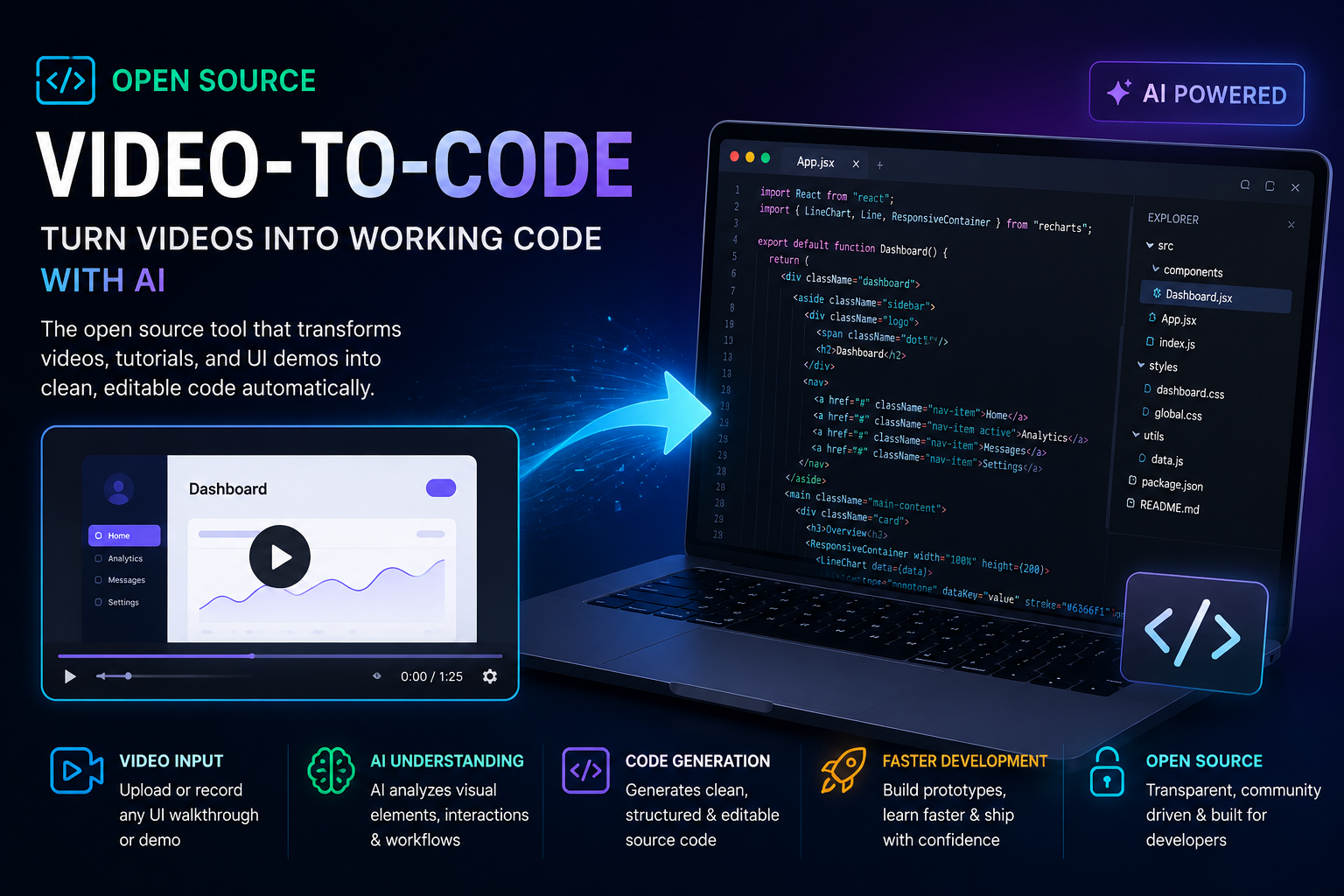
A community-driven, AI-powered system that transforms video walkthroughs, UI demos, and tutorials directly into clean, runnable source code. Now publicly available and fully open source.
Introduction
Software development is undergoing a quiet revolution. We’ve moved from writing every line by hand to generating code from text prompts, screenshots, and design files. Now, that evolution takes its next logical leap: video. Today, we’re proud to announce the public launch of the Open Source Video-to-Code tool — a community-driven, AI-powered system that transforms video walkthroughs, UI demos, and tutorials directly into clean, runnable source code.
This isn’t a concept paper or a far-off research project. It’s a live, open-source codebase you can clone, run locally, and integrate into your workflow today. Whether you’re a startup racing to prototype, an educator turning lessons into live examples, or a developer tired of manually translating designs into front-end code, this open source video-to-code tool opens a new door.
What Is the Open Source Video-to-Code Tool?
At its core, the tool is a developer-focused AI pipeline that accepts video input — an MP4 screen recording, a phone-filmed whiteboard sketch, a product demo — and outputs production-ready code. It understands what’s happening on screen: layouts, buttons, text, clicks, scrolls, page transitions, even animations. It then maps that understanding into structured, editable source files in your framework of choice.
The process is built on four modular stages:
- Computer Vision Analysis – Each video frame is scanned for UI elements, text, colors, spatial layout, and component boundaries.
- Action & Temporal Recognition – The system tracks clicks, hovers, typing, and navigations, understanding how interactions cause state changes over time.
- Semantic Mapping – A language model interprets the detected UI and workflow as a coherent application structure (e.g., “login screen → dashboard → modal”).
- Code Synthesis – A pluggable code generation engine outputs files using templates you define — React, Vue, Svelte, HTML/CSS, Python, and more.
Because it’s fully open source, every piece of this pipeline is inspectable, replaceable, and extensible. Use the default vision model, or swap in a custom one trained on your design system. Plug in any code LLM you trust. The project is designed to evolve with the community.
How Video Becomes Code: A Closer Look
While the high-level flow is simple (video in → code out), the underlying tech is a fascinating interplay of modern AI capabilities:
- Frame Extraction & UI Detection – Convolutional neural networks isolate buttons, input fields, images, and text blocks from the visual noise of a video feed.
- OCR & Text Attribution – All visible text is read and assigned to the correct component labels, placeholders, and headings.
- Temporal Cohesion – By comparing consecutive frames, the system tracks visual changes (e.g., a dropdown opening, a modal appearing) and associates them with triggers like a mouse click or a keyboard shortcut.
- Intent-to-Code Translation – The final stage takes the interpreted sequence and passes it to a fine-tuned code generation model that outputs idiomatic framework code.
All of this happens with minimal latency, and you can even replay the video side-by-side with the generated result to see exactly what the AI understood — and correct any misinterpretations.
Key Features
Broad Video Input Support
Accepts MP4, MOV, WebM, and common screen recording formats. Works with high-fidelity digital recordings and even lower-quality phone-captured sketches.
Automatic, Multi-Framework Code Generation
Output to React, Vue, Svelte, plain HTML/CSS, Python (Flask), or SwiftUI. The template engine allows community-maintained profiles for any target stack.
Multi-Language Understanding
Works across JavaScript/TypeScript, Python, and structured markup. Extendable to other languages by adding new code generation templates.
Developer-Friendly Integration
Use via CLI, REST API, or a web playground. IDE plugins for VS Code and JetBrains are in active development, letting you trigger video-to-code directly from your editor.
Customizable & Extensible
Fine-tune the vision model on your own UI kit, add custom component mapping rules, or change the AI model that generates code. No black boxes.
Interactive Correction Loop
Click any part of the generated UI to see the corresponding video frame and tweak the interpretation. Each correction improves future runs.
Self-Hosted & Private
Run it entirely on your own infrastructure. Your video data never leaves your control, making it suitable for sensitive enterprise projects.
Use Cases That Transform Workflows
Rapid Prototyping
Record a 60-second walkthrough of a sketched idea or a Figma prototype, and receive a working scaffold in minutes. Perfect for hackathons, investor demos, and design sprints.
Education & Tutorials
Instructors can record coding lessons, and students can generate the exact code from the video — no more pausing and typing along. Learning becomes instantly hands-on.
UI/UX Replication & Inspiration
See an interaction you like in a competitor’s app? Record it, generate the component, and adapt it to your stack. Build inspiration faster, without copying pixel by pixel.
Developer Productivity
Save hours of boilerplate work: navigation bars, login forms, dashboard layouts. Let the tool handle the repetitive front-end heavy lifting while you focus on business logic and edge cases.
AI-Assisted Software Engineering
Combine video-to-code with other AI tools (code review, test generation) to create a multimodal dev pipeline. Video describes the “what”, other AIs handle the “how”.
Current Limitations (and Why They’re Okay)
No cutting-edge AI tool ships perfect, and we believe in transparency. Here’s what you should expect:
- Accuracy Depends on Video Quality – Clear, well-lit screen recordings perform best. Shaky, blurry, or heavily compressed videos may yield imperfect layouts.
- Complex Interactions Need Refinement – While standard patterns (forms, navigation, lists) are solid, intricate micro-interactions or heavily custom UI may require manual touch-ups.
- Generated Code Is a Starting Point – The output is clean and runnable but meant to be edited, just like boilerplate generated by any scaffolding tool. Think of it as an incredible first draft.
- Framework Coverage Is Expanding – React and HTML/CSS support is strongest today; more frameworks are arriving rapidly through community contributions.
These are early-stage realities that will improve with every contribution and feedback loop — and because the project is open source, improvements happen in the open, not behind a corporate roadmap.
Why This Launch Matters
This open source video-to-code tool does more than just speed up coding. It signals a shift in who can build software. When a product manager can record a flow and get a working prototype, or a student can turn a tutorial into a live sandbox, we democratize creation.
It also pushes AI development into a new modality. Text-to-code captured our imagination; video-to-code tackles spatial, temporal, and action-oriented understanding — a much harder, richer problem. By open-sourcing this technology, we ensure that innovation happens globally, not just inside a few large labs.
Open source means:
- No vendor lock-in – You own the toolchain.
- Community-driven priorities – Features are built for real needs, not quarterly earnings.
- Auditability & trust – You can see exactly how the AI interprets your video.
- A foundation for future research – Other projects can build on this work for domains like robotics, AR/VR, and accessibility tools.
Get Started in Under 5 Minutes
Ready to turn video into code? Here’s how to jump in:
-
1. Clone the repository
git clone https://github.com/video-to-code/video-to-code.git cd video-to-code -
2. Install dependencies & quick-start
Follow the
README.mdfor your OS. You’ll be up and running with a sample video in minutes. -
3. Record or upload your own video
Use the web playground or CLI to analyze any screen recording.
-
4. Get code, refine, repeat
Export the generated project, tweak it in your editor, and if you see a misinterpretation, use the interactive correction tool to help the model improve.
We warmly welcome contributors. Whether you’re a machine learning engineer, a frontend framework expert, a technical writer, or simply someone who wants better tooling, you can shape the future of AI code generation from video. Open issues, submit pull requests, or just give the repo a star to show your support.
The Road Ahead
The video-to-code journey has just begun. On the horizon:
- Real-time code generation from live screen capture
- Bi-directional sync (change the code → see the visual update)
- Collaborative features for teams refining generated UIs together
- Deeper integration into CI/CD pipelines for automated visual regression testing
One day, showing software and building it may become almost the same act. Today, we take a huge step toward that future — and we’re doing it together, in the open.
Try the Open Source Video-to-Code Tool Now
Your next demo just became your next deployment.